Tuesday, May 24, 2011

Miro 4 Hopes To Fill Android's iTunes Void

The open-source audio and video jukebox Miro debuts a new version today that wants to be iTunes for Android.Miro 4 for Windows (download), Mac (download), and Linux (download), adds simple and effective desktop-to-Android synchronization to the program, which also offers media file conversion, torrent management, podcast catching, and media discovery. The Android syncing features focus on music and videos and includes built-in app browsing and management via in-program access to the Google Android Marketplace and the Amazon.com Android Marketplace.

Main interface of Miro 4

(Credit: Screenshot by Seth Rosenblatt/CNET)

"We set the bar very high. We want to be the open iTunes," said Nicholas Reville, co-founder and executive director of the Participatory Culture Foundation, which publishes Miro and the Miro Video Converter, a separate program that also comes baked into the standard Miro. "Millions and millions of people use iTunes and they do because they accept the restrictions, like with Internet Explorer. We see ourselves as the new Firefox." He also added that Miro has "around two million" monthly users.

Except for the lack of over-the-air synchronization, the new Miro is basically the old Miro plus DoubleTwist. If you haven't checked out Miro in a while, since Miro 3's redesigned interface the feature-heavy program has gotten much easier to use. It heavily resembles iTunes, with a left nav for navigating between your audio, video, connected devices, Amazon MP3 store, and Android marketplaces. The new right nav links to recently watched videos, recently songs played, and recent downloads, while the center of the program is where your media discovery and playback happen.

Music on an Android in Miro 4

(Credit: Screenshot by Seth Rosenblatt/CNET)

Miro 4 both looks like iTunes and communicates quite smoothly with your iTunes library. Importing more than 10,000 tracks went quickly because Miro recognizes media libraries that are pre-existing on your computer.

Also like iTunes and other media jukeboxes, Miro now lets you stream and share your files to other computers running Miro on the same Wi-Fi network. Basically, you use it to manage media libraries on more than one computer.

App browsing is straightforward. Click the link in the left nav for either Google's or Amazon's market and you'll be able to access full marketplace features from within Miro. The same goes for Amazon's MP3 store.

Android Market in Miro 4

(Credit: Screenshot by Seth Rosenblatt/CNET)

Miro 4 does not yet support Wi-Fi syncing for Android devices, although that feature is coming said Dave Glassco, President of the Participatory Culture Foundation. Also in the works is an iPad app for media streaming and playback.

Be warned that Miro's installation process not only opts you into the Bing toolbar, Bing search engine, and resetting Bing as your home page, but if you uncheck all three, Miro asks you if you're sure you want to harm their revenue stream. That's fairly aggressive for an open-source program, although this is unfortunately not new to Miro. It's not likely to change anytime soon, either.

Source: http://download.cnet.com/8301-2007_4-20064507-12.html?tag=mncol;title

Thursday, May 5, 2011

Pandora Delivers Laughs With Comedy Channels

Pandora now lets you add comedy channels to your listening selections.

Pandora now lets you add comedy channels to your listening selections.

(Credit: Screenshot by Jonathan Skillings/CNET)

Get ready to laugh when you load up Pandora.

The company today announced the launch of comedy stations, and just as with music streaming, users can listen to tracks, skip those they don't like, and give a thumbs-up or thumbs-down to personalize what they hear.

According to Pandora, a team of analysts have culled through thousands of performances to classify them based on style and content.

Pandora debuted in 2000, allowing users to stream music over the Web. Since then, the company has secured a growing (and dedicated) user base that creates stations on different genres or topic areas, and personalizes those stations to match their tastes.

Though Pandora's comedy service won't feature the same breadth of content available to music lovers, the company said that it has quite a bit available. Listeners can create stations based on a specific comedian or genre, such as political comedy or "working class comedy." Stations are also available by decade, spanning the 1960s through today.

"We are delighted to now be able to give people a mix of familiar and new comic material that they'll love to listen to," Pandora founder and chief strategy officer, Tim Westergren, said in a statement.

Source: http://news.cnet.com/8301-13506_3-20059644-17.html#ixzz1LUpBB473

Thursday, April 28, 2011

Hulu Plus Hits Xbox Live April 29, Free For A Week

(Credit: Microsoft)

Xbox Live users can rejoice tomorrow--not just because it's still working--but because Hulu Plus will be hitting the console. Even better, the normally $7.99-a-month service will be absolutely free for an entire week thanks to a spicy sponsorship by Jack Link's.

The initial promotion will available to all Xbox Live subscribers both Gold and Silver, but once it ends only Gold members will be allowed to subscribe on a monthly basis.

Hulu Plus on Xbox will also feature Kinect compatibility, so you can speak and wave your way through content from ABC, Comedy Central, Fox, NBC, and many more networks.

Source: http://news.cnet.com/hulu-plus-hits-xbox-live-april-29-free-for-a-week/8301-17938_105-20058404-1.html#ixzz1Kr8O7Mm8

Tuesday, April 19, 2011

Microsoft Opens Up Office 365 As Public Beta

(Credit: Josh Lowensohn/CNET)

Microsoft has opened the tap on its cloud-based Office 365 and is now offering the service as a public beta for anyone to try out.

Available in 38 countries and in 17 languages, the new beta follows several months of limited testing among a couple thousand businesses that were able to kick the tires on the service. After the public beta, Office 365 will officially launch later this year.

Unveiled last October, Office 365 is Microsoft's attempt to offer businesses a cloud-based alternative to some of its traditional desktop and server products. The service combines Office Web Apps with hosted versions of Exchange and SharePoint as well as Microsoft's Lync product, which provides the online communication and collaboration piece.

As such, Office 365 is designed to offer a gamut of features, including document creation and sharing, e-mail, IM, online meetings, and public Web sites. Microsoft is also including protection in the form of its enterprise ForeFront security client and is promising a 99.9 percent uptime for the entire service.

Once it officially launches, Office 365 will be offered as two different plans depending on the size of the company. Smaller businesses with 25 or fewer employees can pay $6 per person per month to receive Office Web Apps and the hosted versions of Exchange and SharePoint. Larger enterprises will have to choose one of four different plans at a cost of anywhere from $10 to $27 per person per month.

In addition to targeting the business world, Microsoft is reaching out to the educational market with five different plans geared toward faculty, staff, and students.

Also now available as a beta is the Office 365 Marketplace. Designed to supplement Office 365, the marketplace tries to help businesses find apps and services offered by different Microsoft partners.

CNET reporter Josh Lowensohn took Office 365 for a spin last November to evaluate the service's pros and cons. He found that everything worked as advertised, but that, as things stood at the time, "Google Apps this is not."

Source: http://news.cnet.com/8301-10805_3-20054852-75.html#ixzz1JzZIuLvG

Monday, April 11, 2011

Must-have Firefox Mobile Add-Ons

One of Firefox's most popular features is its add-on support, with its accompanying deep add-on catalog. The new Firefox 4 Mobile for Android (download) and for Maemo devices (download) also support add-ons, so we've got a collection of Firefox mobile add-on essentials for you that covers the bases, from useful ad blocking to interesting, mobile-specific password helpers.

Adblock Plus lets you toggle ad blocking on a per-site basis.

(Credit: Seth Rosenblatt/CNET)

The best-known add-on that's a must-have is Adblock Plus (download), ported by the developer from Firefox desktop to mobile. If you're not familiar with it, it blocks ads by using blacklists to filter out the ads. Once installed, the extension guides you to a list of filters you can install. It will recommend a filter based on which country you're in. If you do want to see ads on a particular site, you don't have to uninstall the add-on. Tap the favicon of the site you're on and an option will appear in the drop-down to toggle ad blocking for that site.

Unfortunately, the mobile version of the excellent JavaScript blocker NoScript isn't ready yet. However, there are other effective security tools for Firefox 4 Mobile.Tapsure (download) is one of those; it provides you with a pattern-based system for typing passwords. Instead of typing out a lengthy password that can be cumbersome to get through on a mobile keyboard, Tapsure lets you associate your passwords with rhythm-based tap patterns.

Another good mobile security extension is Less Spam, Please (download). It creates a partially randomized e-mail address that's both disposable and reusable, thus keeping your primary e-mail free of potential spam and clutter, and lessening the likelihood that your main account will get hacked. The add-on relies on Web mail services like YopMail, MailCatch, Humaility, or Mailinator to create the e-mail address on the fly. Then, until you delete that account, your log-in to that Web site is associated with the new dummy e-mail.

The radius by which Lazy Click determines if your tap was accurate or not can be changed.

(Credit: Seth Rosenblatt/CNET)

Other mobile add-ons focus on Web site access and readability. URL Fixer (download) autocorrects common typos in the URL bar, so that when you type ".cmo" it knows you meant ".com". There's an option in the add-on to have it ask you to confirm autocorrections before applying them, providing a level of protection against improper autocorrects.

The add-on Bigger Text (download), perhaps unsurprisingly, makes the text of the Web site you're viewing bigger, and it does it in two different ways. In the add-on's Options menu, you can set a new default font size larger than the standard one. It also adds a "Bigger Text" button to the site menu, accessible by tapping the site's favicon. Tap the Bigger Text button and a site's font automatically gets bigger.

Tapsure

(Credit: Tapsure)

Based on the code that powers Readability, Reading List (download) lets you save pages to read for later. It adds a book icon to the toolbar (viewable when you drag your finger from the right edge of the screen to the left), and a Save for Later option to the site menu. Tap the favicon and then the Save for Later button to save a page, and tap the aforementioned book icon to access your sites.

Personally, I find this a bit superfluous to just using the bookmark star, but I know that a lot of people like the Readibility-style features and separate organization of sites to read later from their regular bookmark lists.

There are some excellent add-ons to extend Firefox Mobile's feature set, too. Phony (download) lets you fake a browser's useragent header, which is the piece of code that Web sites use to determine whether you see the mobile or desktop version of a site. This can be useful if, for example, you want to see the Mac version of Download.com instead of the mobile version.

Reading List saves sites to read later in an easy-to-access list.

(Credit: Seth Rosenblatt/CNET)

Mobile Profiles (download) is a simple little add-on that helps you create multiple browsing profiles in Firefox Mobile. This could be very useful for families and other people who share devices, so that each person's browsing information is kept separate. Meanwhile, Lazy Click (download) could wind up being a sleeper hit of an add-on. It fixes missed screen taps by applying them to the closest clickable link or button. The options let you customize the radius of error, and users who've found their Android touch screens to be inaccurate are likely to get the most out of this.

Got a favorite Firefox 4 Mobile add-on that I didn't mention here? Tell me about it in the comments below.

Source: http://download.cnet.com/8301-2007_4-20052297-12.html?tag=mncol;title

Friday, March 25, 2011

VideoLAN Updates VLC, Improved Language Translation

One of the best video players forMac has to be VideoLAN's VLC Player, now updated to version 1.1.8. This update fixes a number of small bugs and adds more support for several features, including better language translation as well as updating security patches for known vulnerabilities.

Core Security Technologies recognized vulnerabilities in AMV and NSV files when handled by previous versions of VLC.

Two vulnerabilities have been found in VLC media player [1], when handling AMV and NSV file formats. These vulnerabilities can be exploited by a remote attacker to obtain arbitrary code execution with the privileges of the user running VLC.

Updating to version 1.1.8 solves those issues.

Other fixes included in the 1.1.8 update are:

  • Security update regarding video width concerning some demuxers
  • Support for a new Dirac encoder based on libschroedinger
  • Package of the new VP8/Webm encoder 'Bali'
  • Notable updates in MP4, OGG, and APE demuxers
  • Major updates in most language translations
  • Fixes in skins2 supports of Winamp2 skins
  • Upgrade on the look of VLC for Mac OS X
  • Auto-detection for TXT subtitles is fixed
  • Fixes on Windows integration, notably regarding volume keys
  • Codecs updates
  • Many miscellaneous fixes

If you find that some of your videos, especially AVI files, aren't playing properly in QuickTime Player, try downloading the free VLC Player. What is your video player of choice for the Mac? Let me know in the comments!

Source: http://reviews.cnet.com/8301-13727_7-20047123-263.html#ixzz1HdSHOAIi

Monday, March 21, 2011

Still No Google Instant For Opera Browser Fans

In September, Google said it hoped to bring its then-new Google Instant search feature to users of the Opera browser "shortly." A half-year later, there's still no sign of it.

Opera logo

Google still is working on it, though.

"We've encountered some technical barriers that are temporarily preventing us from making Instant available for Opera," Google said in a statement yesterday. "It's difficult for us to estimate when we will overcome these barriers, but we want to bring Instant to as many browsers, platforms and regions as possible."

It's not clear exactly what those glitches are. Opera fans are able to use Google Instant by setting their browser to lie about its identity and tell Web servers it'sFirefox, so clearly the feature isn't totally impossible.

Opera, based in Oslo, Norway, long has had a loyal following of passionate users, and the browser maker has often been eager to embrace new Web technologies, so being stuck in a tech backwater clearly is frustrating to some users.

Opera is continuing to advance its browser. New features emerging in a beta of Opera 11.10, code-named Barracuda, include support for several new standards. You can download Opera 11.10 beta for Windows, Mac, and Linux.

Among them:

• the Web Open Font Format, an attempt to bring better typography to the Web via downloadable fonts.

• CSS's linear gradients, which can create gradual color transitions and fades without requiring images to be downloaded.

• CSS's multi-column layouts to make it easier to provide newspaper- or magazine-like look to Web pages.

Separately, Opera is working on adding hardware acceleration and WebGL's 3D graphics to a future version of Opera. Also in the works is the HTML5 parser, which among other things defines a standard way for all browsers to handle the abundance of incorrectly coded Web pages.

Source: http://news.cnet.com/8301-30685_3-20044576-264.html#ixzz1HFysBk12

Friday, March 18, 2011

WebM Components For IE9 Bring Further Video Compatibility To Windows, End To Codec Conflict?

We've been reporting on the drama over Google's WebM ever since Microsoft compared the video format to Esperanto earlier this year, but despite a war of words, Google and Microsoft seem to be playing nice as of late. What originally appeared to be a mere WebM plug-in for IE9, has turned out to be a full set of components for the Microsoft Media Foundation (MF) API, which means even more compatibility within Windows. Because the components are installed directly to the operating system, you'll be able to watch WebM videos in other programs that support MF, such as Windows Media Player 12 for Windows 7. We suppose this could be the signal for some sort of a truce over disputed video formats, but, really, what's the fun in that?

Source: http://www.engadget.com/2011/03/18/webm-components-for-ie9-bring-further-video-compatibility-to-win/

Tuesday, March 15, 2011

Internet Explorer 9 Launches Tonight, We've Got Your Early Look (Update: It's Live)

Yes, we know it's PI day, but don't tell the guys and gals at Microsoft -- we hear they're celebrating something a little different. That's right, the long-awaited IE9 browser is finally coming out of its beta and RC stage, and will be hitting the global download airways this evening at 9PM PT, which is midnight here on the East Coast. Microsoft tells us the .exe file will be available for you to download at those times right from www.beautyoftheweb.com -- but should you? Obviously, the RC release has been out for awhile, but we've spent the last day or so using the final build and we have to say if you're a PC user it's definitely worth a test drive. Hit the break to find out why we think so.

Source: http://www.engadget.com/2011/03/14/internet-explorer-9-launches-tonight-weve-got-your-early-look/

Wednesday, March 9, 2011

Opera Launches Mobile App Store

Opera announced today the opening of its own mobile app store.

(Credit: Opera)

The new online Opera Mobile store is offering both paid and free apps designed for a variety of phones, including those running Java, Symbian, BlackBerry, Android, and Microsoft's Windows Mobile OS. The company launched the new store with help from mobile app marketplace Appia, which provided the storefront e-commerce technology.

Opera is specifically looking to reach users of its own mobile browser by setting up the store's mobile Web site as a Speed Dial link. Opening the site on a mobile device prompts users to either select their specific device or platform or check out the store in general. But for ease of use, people will want to select their own device to more easily zero in on the right apps.

In return, the site presents all the available apps divided into different

categories, such as Featured, Free, Top 50, Top Picks, and New. Tapping on a specific category pops up a list of apps with brief descriptions, paid or free status, and the number of stars collectively awarded to the app by other users. From there, users can either browse the offerings or search for a specific title. Choosing an app lets people view more details and click on a download link to download the app directly to the device.

Launching the store across more than 200 countries, Opera said the settings are customized for each user's device and operating system and will display the local country, currency, and a list of downloaded apps. To help kick off the new app store, Opera has set up another site called the Opera Publisher Portal, which it says offers developers a way to get their apps directly into the Opera Mobile Store.

"The launch of the Opera Mobile Store supports Opera's core belief in an open, cross-platform mobile Internet experience by providing Opera users with an integrated storefront of mobile applications," Mahi de Silva, executive vice president for Opera's Consumer Mobile group, said in a statement. "Our partnership with Appia delivers to all Opera Mobile and Opera Mini users easy access to a wide variety of great content, on any device, all over the world."

Opera's new store faces an increasingly crowded field of mobile app stores, including Apple's App Store, Google's Android Market, RIM's BlackBerry App World, and Nokia's Ovi Store, as well as open app stores such as GetJar. Amazon also will soon offer some competition, at least in the Android arena, as it recently revealed that it will open its own store for Android apps.

Source: http://news.cnet.com/8301-1023_3-20040577-93.html#ixzz1G9CFtIAi

Monday, March 7, 2011

Adobe Releases Tablet Publishing Tool

Outside uses Adobe's publishing app to produce an iPad version of the magazine.

Outside magazine uses Adobe's publishing app to produce an iPad version of the magazine.

(Credit: screenshot by Stephen Shankland)

Adobe Systems today released the Enterprise Edition of its Digital Publishing Suite, a tool for creating interactive publications on tablets--and for making Adobe more relevant in an age of new computing devices.

The software integrates with Adobe's existing Creative Suite applications such as InDesign to let designers produce digital publications for Apple's iPad, RIM's PlayBook, Motorola's Xoom, and Samsung's Galaxy Tab lines of Android-based tablets. It also dovetails with digital distribution systems, including Apple's App Store Subscriptions and Google One Pass. And it comes with analytics services from Adobe's Omniture acquisition so that publishers can track details about how people use the digital publications.

Among 150 titles using Adobe's technology are National Geographic, Vogue, Consumer Reports, Marines Magazine, Backpacker, Autotrends, The New Yorker, Outside, and Wired. Publishers include Bonnier, Conde Nast, Globo Media Group, and Martha Stewart Living Omnimedia.

Adobe is a major power when it comes to selling software for personal computers, but it's working to adapt to the new era of smaller, more-mobile devices. It has basic Photoshop versions for iPhone and Android phones and offers the Adobe Ideas app for sketching on iPads. The company is also working on more elaborate software for tablets, including an Adobe Journal technology demonstration app for drawing and sketching on Android devices.

Journal includes a variety of drawing devices, Photoshop-like features for adding graphical elements to a drawing, and tools for panning, zooming, and moving among different pages. It's based on Adobe's cross-platform AIR software foundation, meaning that Journal could likely be ported to other operating systems--even iPads, using an Adobe packaging system that turns AIR apps into native apps.

In contrast, the Digital Publishing Suite isn't for ordinary consumers with tablets, but rather for businesses trying to reach those consumers. The version released today is for large publishers; for smaller outfits, Adobe's Professional Edition is due to ship late in the second quarter, Adobe said.

Also at that time, Adobe plans to release the Folio Producer Service, which will let publishers directly upload content from InDesign, Adobe's software for design and layout.

Pricing of the Enterprise Edition depends on a custom quote from Adobe based on access to services for creating and distributing publications, Adobe said in a blog post.

Source: http://news.cnet.com/8301-30685_3-20039968-264.html#ixzz1FxKD7Qn4

Wednesday, March 2, 2011

Skype To Expand Online Meetings Via GoToMeeting

Skype is expanding its video- and audio-conferencing options through a new deal that will let it tap into Citrix's popular GoToMeeting software.

Skype said yesterday that partnering with Citrix to integrate GoToMeeting technology will help it expand its business service by offering more robust and user-friendly collaboration and online meeting tools.

Specifically, the company plans to enhance its Skype for Business option with Web- and audio-conferencing features to add to the service's existing IM, video calling, and file-sharing tools. Business users will be able to more easily and quickly set up online audio conferences using either Skype or the regular phone network. Screen sharing will also be improved, according to Skype, allowing meeting hosts to demo and highlight anything on their screen. Finally, a new audio codec should boost the quality of the calls themselves.

"We are thrilled to partner with Citrix, which offers one of the most popular and easy to use Web-conferencing solutions on the market today," David Gurle, vice president and general manager of Skype Enterprise, said in a statement. "Web and audio conferencing has been among the top requested features by our business users. This represents a significant step toward broadening our enterprise offerings, while adding features that will enable business people to collaborate even more efficiently and effectively."

Skype expects to roll out the new GoToMeeting-enabled conferencing features toward the end of the year.

Source: http://news.cnet.com/8301-1023_3-20038339-93.html#ixzz1FUFCGmeg

Monday, February 28, 2011

Firefox 4's Last Beta?

Firefox logo

Mozilla has begun to wind down work on the next generation of its Firefox browser. In today's release of Firefox 4 beta 12, there are few improvements that will be instantly noticed by most users. Available for Windows, Mac, and Linux, what has changed are under-the-hood improvements to how Firefox 4 handles Flash and more stable overall performance.

One visual change has been to move hover-over links to the bottom of the window, rather than place them in the location bar as was done in the previous beta. Along with the changes to Flash handling and stability, Mozilla said in its release notes for Firefox 4 beta 12 that the browser now has better integration of add-ons with hardware acceleration support.

The company hopes that this beta will be the last, according to an updated roadmap. The release of the twelfth beta indicates that all the hard-blocker bugs, the highest-priority problems with the in-development browser, have been fixed. Barring major problems with the remaining bugs, users can expect a release candidate soon.

Souce: http://download.cnet.com/8301-2007_4-20036645-12.html?tag=mncol;title

Tuesday, February 22, 2011

Microsoft Releases Windows 7 SP1

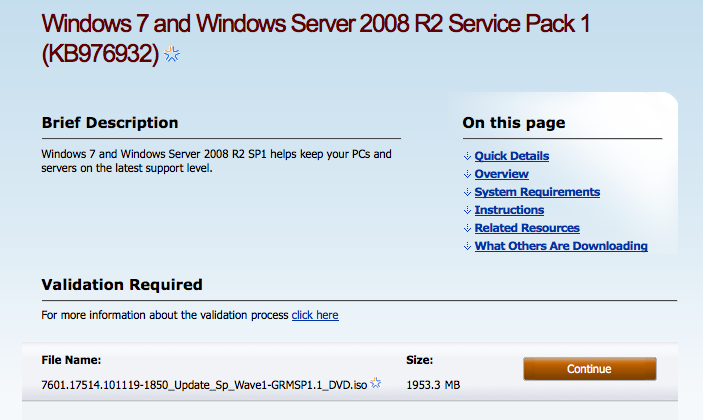
Microsoft has released SP1 for Windows 7 and Windows Server 2008 R2.


Windows 7 and Windows Server 2008 R2 SP1 helps keep your PCs and servers on the latest support level. It also provides ongoing improvements to the Windows Operating System (OS), by including previous updates delivered over Windows Update as well as continuing incremental updates to the Windows 7 and Windows Server 2008 R2 platforms based on customer and partner feedback. This enables organizations to deploy a single set of updates.


Windows 7 and Windows Server 2008 R2 SP1 will help you:
● Keep your PCs supported and up-to-date
● Get ongoing updates to the Windows 7 platform
● Easily deploy cumulative updates at a single time
● Meet your users' demands for greater business mobility
● Provide a comprehensive set of virtualization innovations
● Provide an easier Service Pack deployment model for better IT efficiency

You download the almost 2GB file from the link below...


Read More

Source: http://iclarified.com/entry/index.php?enid=14008

Wednesday, February 16, 2011

Redbox Launches Android App, Updates iPhone App

Movie rental company Redbox is trying to improve its standing in the mobile market.

The company announced today that it has launched a new Android application that will allow its customers to look through available titles, find one of its kiosks around the U.S., and reserve films from the app. In addition, it updated its iPhone app to make the software more responsive to users when they rent movies. The app also now supports box art.

Redbox's iPhone app has performed well. The free application has been downloaded over 2 million times since its launch in December 2009, the company said.

Redbox, which is owned by Coinstar, offers DVD and Blu-ray rentals at 26,000 kiosks around the United States. The company recently came off a difficult fourth quarter, missing revenue and profit forecasts due to the impact rental delays had on its operation.

"Overall, the performance of the Redbox business during the fourth quarter was not in line with our forecast," Coinstar CEO Paul Davis said in a statement at the time. "This was Redbox's first holiday season with 28-day delayed titles, and we underestimated the impact that the delay would have on demand during the fourth quarter."

Redbox is currently required to wait 28 days before it can rent content from Warner Bros., Universal Studios Home Entertainment, and Twentieth Century Fox. Those delays helped studios increase sales during the fourth quarter and prompted the rental firm to miss its forecasted rentals by a whopping 14 million units.

In addition to service improvements in the mobile business, Redbox recently updated its Web site to aid customers in picking films they want to watch. Customers are able to reserve up to five films at a time before they head down to their local kiosk to pick them up.

Redbox's iPhone app and Android app are available for free in the App Store and Android Market, respectively.

Source: http://news.cnet.com/8301-13506_3-20032052-17.html#ixzz1EAGbw1C0

Monday, February 14, 2011

Netflix Streaming Finally Arrives In Boxee Box

Boxee announced today that Netflix streaming is finally available to owners of the company's Boxee Box. In order to access Netflix streaming, users will need to either wait for the automatic update to take effect within the next 24 hours or manually update their set-top boxes.

"Netflix support was the most common request we had on our blog comments, forum posts, tweets, etc.," Boxee CEO Avner Ronen said in a blog post accompanying the announcement. "We heard you loud and clear. We were bummed that we could not make it happen earlier, but are very excited to have it out today."

When the Boxee Box first launched in November, the company said that it would make Netflix available by the end of 2010. After hitting some snags, it promised that Netflix was "still on track" for a launch at the end of January. Earlier this month, Boxee said in a blog post that it wasn't able to hit its self-imposed deadline because it had "not yet satisfied Netflix's security requirements."

Luckily, that wait is finally over. But now Boxee has some catching up to do. Netflix streaming has been running for quite some time on several of the device's competitors, including the Apple TV, Roku set-top boxes, and the Logitech Revue, among others.

Source: http://news.cnet.com/8301-13506_3-20031870-17.html#ixzz1DybZeD95

Thursday, February 10, 2011

Flash 10.2 Arrives With More Efficient Video


Adobe Systems released Flash Player 10.2 today, bringing a technology called Stage Video designed to be easier on computing devices' processors and therefore batteries.

Tom Nguyen, product manager for Flash platform runtimes, offered this glowing account for the Flash Player 10.2 announcement:

Stage Video lets websites take advantage of full hardware acceleration of the entire video pipeline...Stage Video hardware acceleration means that Flash Player can play even higher quality video while using dramatically less processing power, giving users a better experience, greater performance, and longer battery life. In our testing across supported systems, we've found it's up to 34 times more efficient.

Put another way, Flash Player using Stage Video can effortlessly play beautiful 1080p HD video with just 1 to 15 percent CPU usage on a common Mac or Windows computer...Many millions of additional PCs, from Netbooks to desktops, can now become slick HD home theaters on the Web.

CPU usage during video has been a particular sore spot with Flash, in particular with Apple Chief Executive Steve Jobs lambasting Flash video as battery-sucking software. Stage Video, among other things, uses hardware acceleration to combine ("composite," in technical terms) video with other elements such as text or graphics--think subtitles, pop-up ads, and player controls. (Adobe already added hardware-assisted decoding of H.264 video in Flash Player 10.1.)

Web developers need to update their software to use the new Stage Video interface; Flash evangelist Lee Brimelow offers a tutorial for those interested in how to do so. Google already has for its Flash-based player at YouTube, Adobe said.

Speaking of hardware acceleration, Flash Player 10.2 also takes advantage of that ability in Microsoft's Internet Explorer 9 for higher performance and smoother compositing. It also comes with the ability to show full-screen video on one monitor in a dual-monitor setup.

Flash faces a host of challenges beyond power consumption. Also on the list are a variety of competing Web standards in varying degrees of maturity and the fact that Flash Player is a rarity on mobile phones.

The Flash Player 10.2 plug-in can be downloaded from Adobe's download site, but things are somewhat different for users of Google's Chrome browser. Google builds Flash Player directly into Chrome and it issued a new stable version 9.0.597.94 and developer version 10.0.648.45 with Flash Player 10.2; the new versions download automatically and are installed upon restarting the browser.


Source: http://news.cnet.com/8301-30685_3-20031167-264.html#ixzz1DawuPTJZ

Tuesday, February 8, 2011

Google Adds Priority Inbox To Mobile Gmail


Gmail users who rely on the Priority Inbox feature to sort their e-mail will now find the same feature available through their mobile devices.

Launched in August, Priority Inbox was designed to help clear the clutter of your inbox by filtering out e-mail deemed less important. Initially available on the standard Gmail Web site and via the Gmail Android app, the feature has just made its debut on the mobile Web version of Gmail accessible through any portable device.

Priority Inbox filters the e-mail from your regular inbox into one of three categories: Important and unread, Starred, and Everything. You start out by indicating which e-mails you consider important and which ones less so.

Over time, the feature is supposed to learn how to best sort your messages, but of course, you can steer it back in the right direction if it guesses wrong. Your regular inbox doesn't go away, so you can always access the full load of messages to make sure you don't miss any.

According to Google's blog, once you set up Priority Inbox on the standard Gmail Web site, the feature will pop up in its mobile counterpart. Specifically, Google says that Priority Inbox will work in most mobile browsers that support HTML5, including those on devices running Android 1.5 or higher and Apple's iOS3 or higher.


Source: http://news.cnet.com/8301-1023_3-20030983-93.html#ixzz1DPErgb2Z